Housecall Pro Review 2026: Good for Growing Lawn Care Teams?
Reviewed May 2026 · Tested on Basic and Essentials plans
No credit card required
Quick Verdict
Overall Score
$65–$169/month
The best choice for multi-service businesses and growing teams of 5+. Higher starting price is justified by stronger client communication and payment tools.
✓ Who It's For
- Teams of 5+ across multiple service types
- Businesses offering lawn care + cleaning, HVAC, or other trades
- Operators focused on growing repeat customers and reviews
- Companies that need consumer financing options
- Businesses with 100+ active clients
✗ Who Should Skip It
- Solo operators and very small teams (overpriced)
- Lawn-only businesses under 30 clients
- Operators on a strict sub-$65/month budget
- Those who need lawn-specific features like chemical tracking
- Businesses happy with Jobber at lower cost
Housecall Pro Pricing 2026
| Plan | Monthly | Annual (per mo) |
|---|---|---|
| Basic | $65 | $52 |
| EssentialsMost Popular | $169 | $135 |
Prices verified May 2026. Confirm current pricing at housecallpro.com/pricing.
6-Dimension Deep Dive
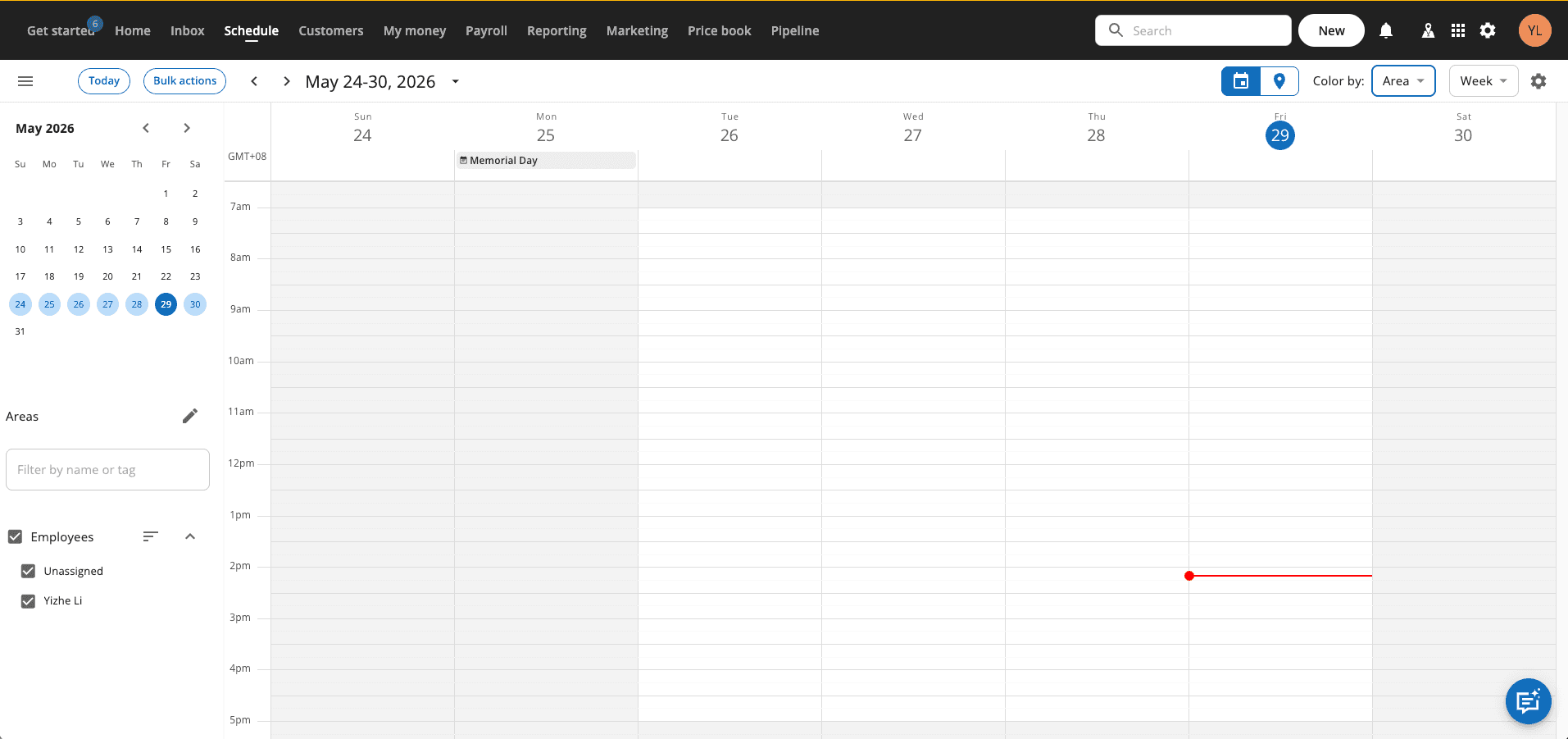
Scheduling
4.3/5Drag-and-drop dispatch board handles multi-crew scheduling well. Color-coded job types make it easy to manage lawn, cleaning, and HVAC jobs simultaneously.
Quoting
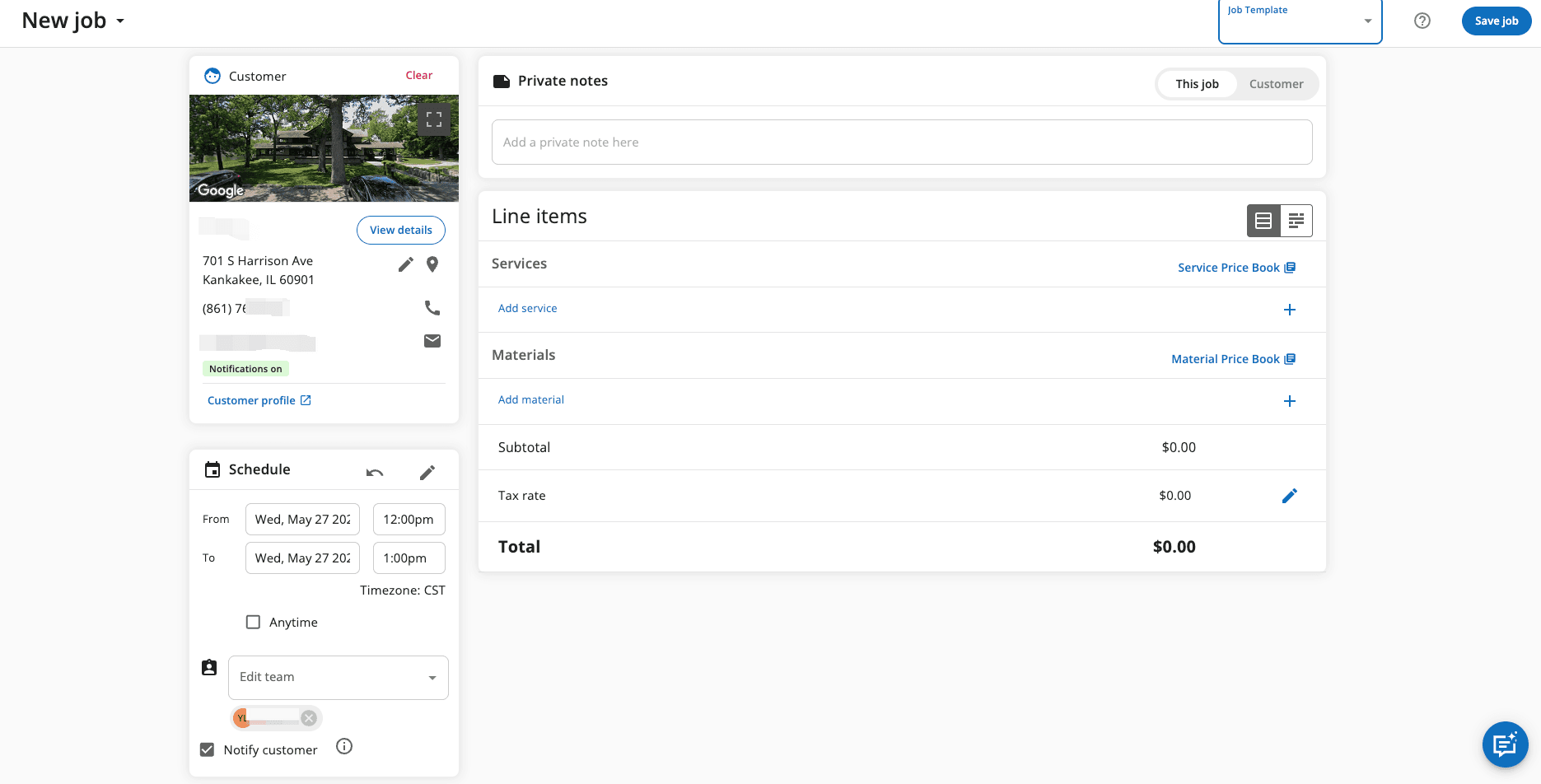
4.2/5Good-looking proposals with optional images and line-item details. Client approval via link works smoothly. Slightly more setup overhead than Jobber.
Route Optimization
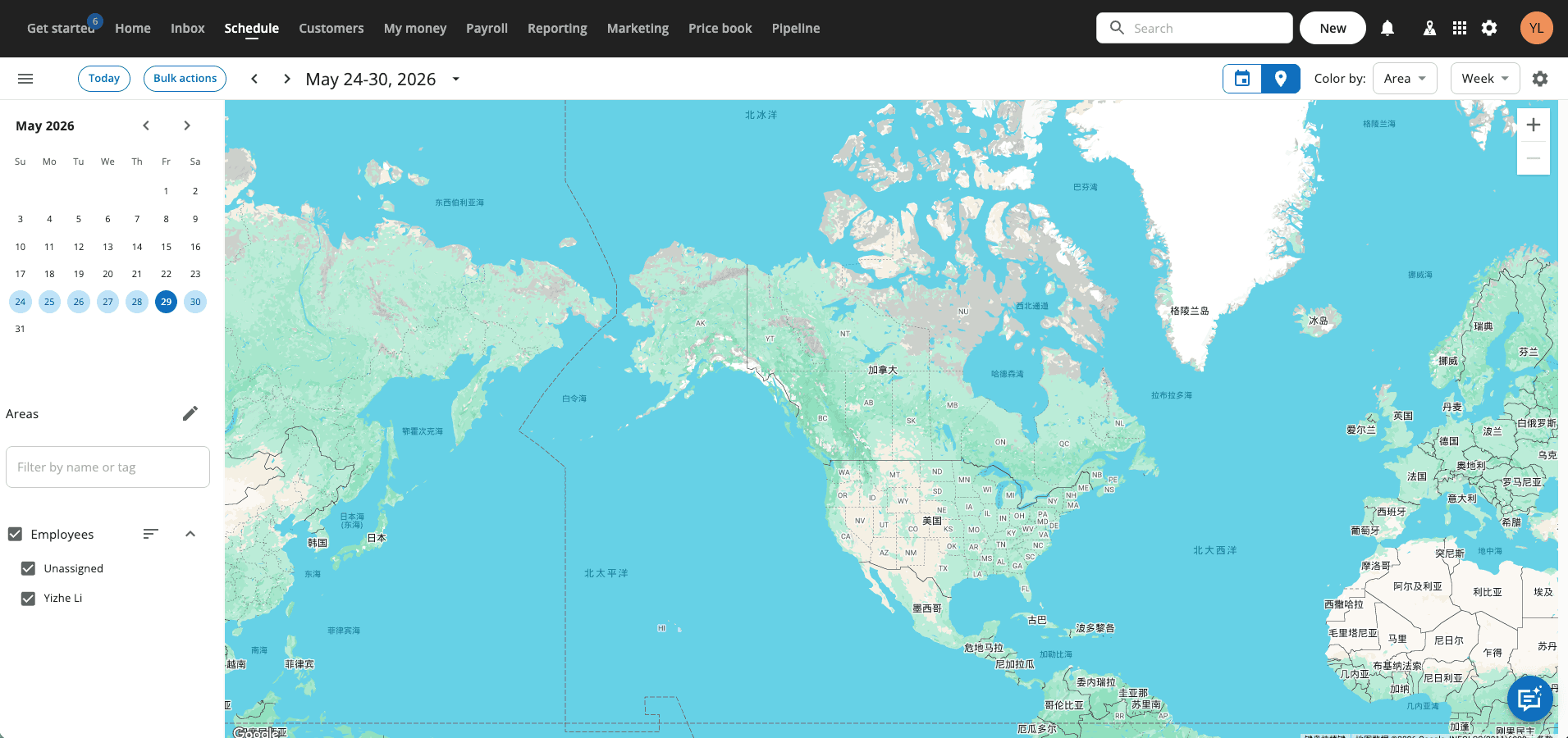
4.1/5Included on all plans. Works well for multi-tech routing. Less specialized than lawn-specific tools but capable for general field service dispatch.
Client Management
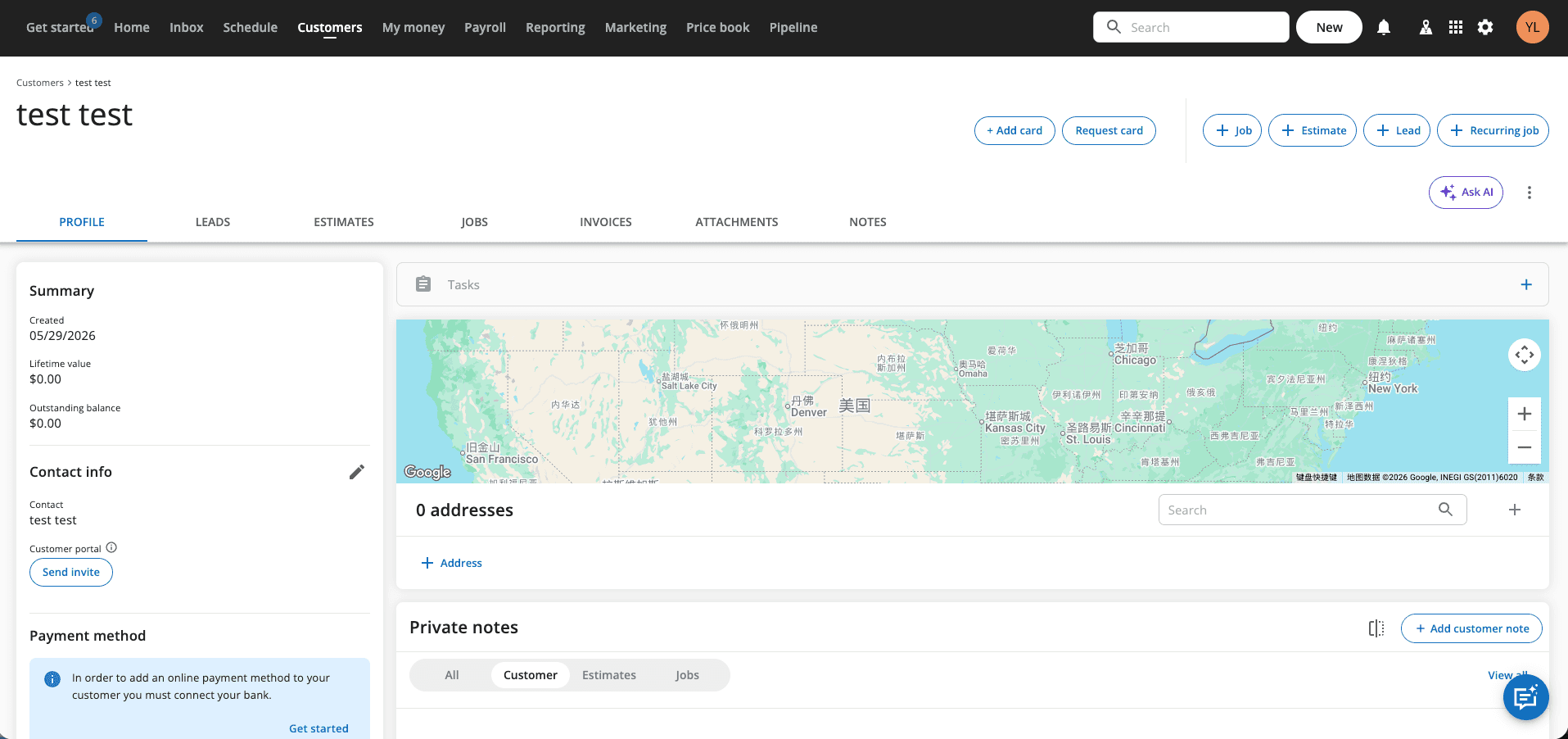
4.4/5Best-in-class customer communication tools — automated review requests, post-service follow-ups, and pipeline marketing. Strong for businesses focused on retention.
Payments
4.3/5Integrated payments, consumer financing, and "Instapay" same-day deposits. Payment features are more advanced than Jobber or GorillaDesk — useful for larger ticket services.
Mobile App
4.2/5Polished iOS and Android apps. GPS time-tracking, on-site payment collection, and before/after photo documentation all work reliably.
14-day free trial — no credit card required
What Real Operators Say
“Housecall Pro is an amazing program that allows our service team members to be scheduled and on track.”
“Decently priced and you get a lot of options for what you pay! Customer service is spot on!”
“Was happy for the first few years, then as they grew, they cared less about their tenured customers.”
Should You Get Housecall Pro? (By Client Count)
Not yet. At $65/month starting price, the cost-per-client is too high for early-stage operations. Start with GorillaDesk Basic instead.
Consider Jobber first. Housecall Pro is capable but Jobber Connect offers comparable features at a lower price for single-service lawn care businesses.
Strong choice. At scale, Housecall Pro's marketing automation, consumer financing, and multi-trade scheduling deliver clear ROI — especially if you offer more than just lawn care.
Affiliate disclosure: We earn a commission if you sign up through our link, at no extra cost to you.